Collecting guides
How to Clean a CD… Without Adding Scratches
Published
Dirt and fingerprints can make a CD skip. How to clean a disc without adding scratches, which marks matter, and why to copy a disc before you polish it.
In short
- Check a skipping CD for dirt before you treat it as damaged.
- Blow off dust, rinse heavy dirt, then wipe from the centre straight to the edge.
- Paper, abrasives, strong solvents and record-cleaning products have no place on a CD.
- Damage to the metal layer can't be repaired, though error correction may still play it.
- Polishing removes plastic for good, so copy a disc that still plays before you try it.
A disc you haven’t played in years starts skipping two songs in. Before you decide it’s ruined, tilt it under a lamp and look at the shiny side for fingerprints, dust or something picked up at the bottom of a bag. Dirt comes off. A CD is cleaned by blowing off the loose dust, rinsing heavy dirt, then wiping with a soft cotton cloth from the centre straight to the edge, with nothing abrasive anywhere near it. Scratches are a separate question, and the answer depends on how deep they go and which way they run.
First, look at what you have
Hold the disc by its edge and the centre hole, playing side up, under a strong lamp, and tilt it slowly. Four things can be wrong, and they need different treatment.
Dirt and fingerprints are worth ruling out first, because they’re the fixable kind, and they can upset playback more than their looks suggest. The US National Institute of Standards and Technology (NIST), in its guide for librarians and archivists, notes that a smudge can cause more read errors than a scratch, because it covers more of the track.
Scratches on the shiny side are often survivable, as explained below. Marks on the printed side need a closer look: a scuff that stays in the top coat may do nothing for now, while one that reaches the metal is permanent. And points of light shining through the disc when you hold it up to the lamp mean the metal is gone at those points, whether from a scratch or from disc rot; our guide to storing CDs and their booklets covers rot and how to check for it. No cleaning helps with damaged metal.
One disc to leave alone entirely: a cracked or bent disc, or one glued back together, doesn’t go in a player or a computer drive. A Japanese record label’s care notice for its CDs calls that dangerous.
How to clean a CD
Discs don’t need routine cleaning. NIST and the archive standard of the International Association of Sound and Audiovisual Archives (IASA) both say the same: clean a disc when there’s something on it, before you play it or put it away, and otherwise leave it alone. Every wipe is a chance to scratch the plastic, and grit dragged across the surface is what does it.
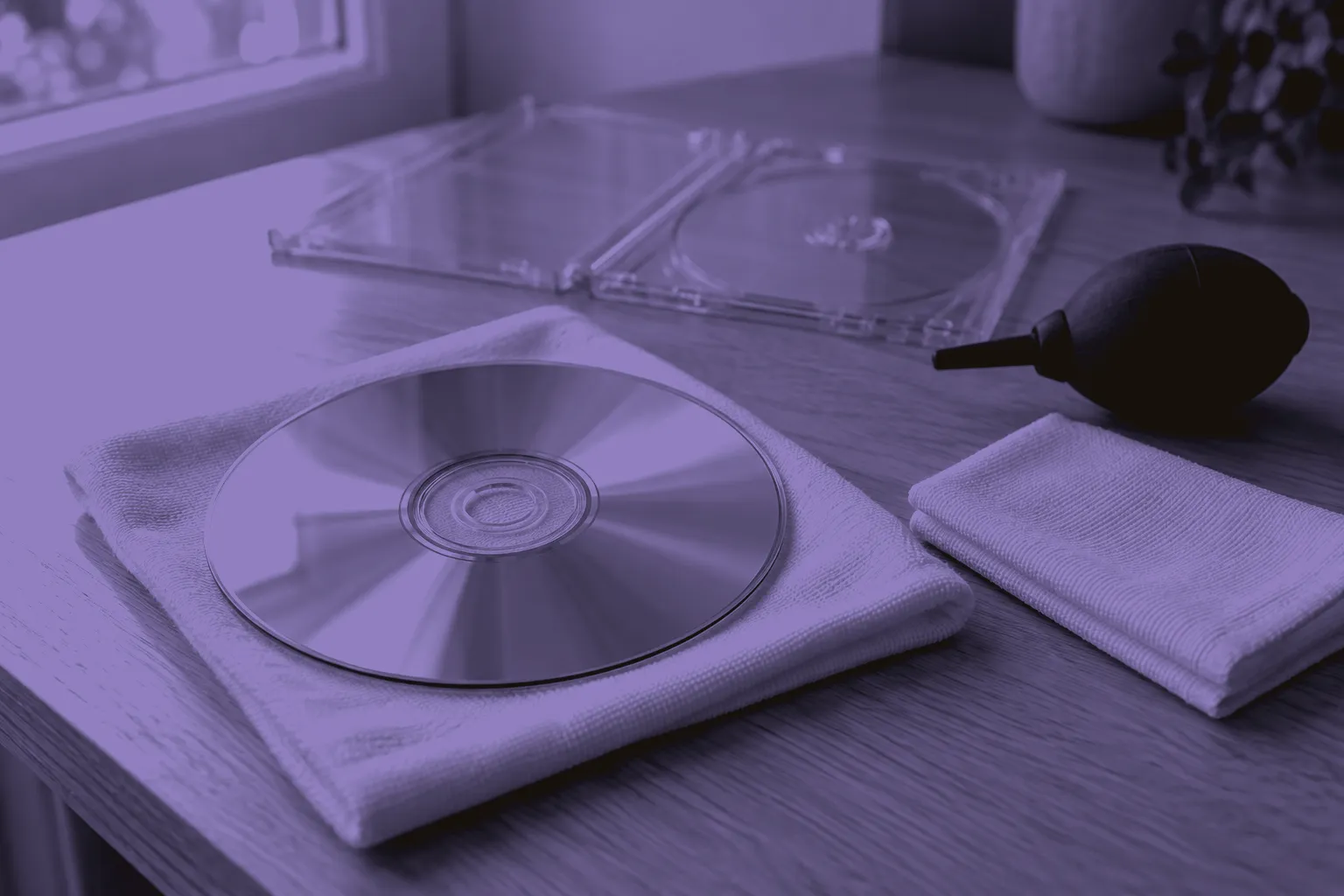
- Blow off loose dust first, with an air puffer or clean compressed air, so the cloth doesn’t grind it in.
- If the disc is heavily soiled, rinse the playing side under water before you wipe anything; IASA specifies distilled water. Keep water off the printed side, especially on a burned CD-R, where IASA warns that many label dyes dissolve in water.
- Wipe with a soft, clean cotton cloth or chamois, dry for light dirt. Start at the centre hole and wipe in a straight line out to the edge, then move round and repeat, like the spokes of a wheel. Never wipe round the disc. If a film remains, try again with the cloth lightly dampened with distilled water, keeping the printed side dry.
- For residue that survives the gentler steps, and if the disc’s care instructions permit it, NIST and IASA allow isopropyl alcohol, used sparingly on the cloth. Keep it off the printed side, where it can damage the label and its coating.
- Let the disc dry completely before you play it, copy it or put it back in its case.
The direction matters most. The music is read along one long spiral, so a wipe that runs round the disc risks a fine scratch along a stretch of the track, which is the kind of damage error correction handles worst. A wipe from the centre out crosses the track briefly at many points instead. IASA puts it bluntly: wipe only radially, from the centre outwards, never round the circumference.
What never to use on a CD
The plastic a CD is made of, polycarbonate, is softer than it looks, and several household reflexes harm it.
- Paper. Tissues, kitchen roll and even lens paper are on NIST’s list of things to avoid. Use cotton.
- Anything abrasive. Scouring cream, powders and polishes scratch the surface you’re trying to clear.
- Strong solvents. NIST is clear that acetone and benzene dissolve polycarbonate and damage a disc beyond repair.
- Record-cleaning products. Fluids made for vinyl were not made for CDs. A Japanese record label’s care notice for its CDs rules out record cleaners and solvents by name, and so does at least one player manual. If you have just washed your records, put the bottle away before you reach for the CDs.
Alcohol is where the sources disagree. NIST and IASA permit isopropyl alcohol for stubborn dirt on the playing side, because it evaporates quickly and doesn’t dissolve the plastic. A player manual from a Japanese electronics maker says never to wipe a disc with alcohol, and doesn’t say why. We’d treat it as the last step rather than the first, keep it off the label, and follow any care instructions that came with the disc itself.
What a scratch harms
Cleaning removes dirt; it doesn’t take a scratch away. What the scratch costs you depends on where it is. The laser reads through 1.2 millimetres of clear plastic and focuses beyond the surface, so a light scratch on the shiny side often passes unnoticed; the storage guide linked above explains the construction, and why the printed side is the fragile one.
Where a scratch does cause misreads, the error correction built into every CD, a scheme called CIRC, recovers much of the data. It corrects a run of errors up to about 2.5 millimetres of track and compensates for runs up to about 7.5 millimetres, the length a minor scratch can cause. When correction fails, a player may estimate the missing sound, which hides a loss rather than recovering the original.
Deep, wide or bunched scratches can overwhelm the correction, and so can one running round the disc, along the track, for the reason that rules out circular wiping. If a scratch reaches the metal or the data, NIST is plain that the music under it can’t be read or repaired.
Polishing out a scratch
Resurfacing, by machine or by hand, takes plastic off the shiny side until a scratch is shallower or gone. The much-repeated tip about rubbing a disc with toothpaste is the same idea with a household abrasive. Polishing never adds anything back. It can only help a scratch in the clear plastic; it does nothing for damaged metal or for disc rot.
The archive standard is wary. IASA would rather archives didn’t polish or repair discs at all, because it permanently alters them, and allows it only to make a transfer possible when scratches on the playing side cause high error rates. Even then, it says wet polishing works only on small scratches, and it asks for any process to be tested first on an expendable disc, with the errors measured before and after. The Canadian Conservation Institute is a little warmer: a disc can be sanded and repolished with specialised equipment, it says, to possibly restore good playability. NIST’s cleaning advice simply rules out anything abrasive.
So don’t hand-polish a disc you want to keep. Without a way to measure the result, you can’t tell whether you’ve helped, and you can’t undo it.
When to stop: copy it while it still plays
If a disc still plays, even with a skip or two, remove any visible dirt, let it dry, then copy it before anyone takes plastic off it. Rip it to your computer and listen to the copy all the way through. Ripping software can detect errors as it reads, though Wikipedia’s account of it is careful to add that the process isn’t always reliable on a damaged disc, so a second drive is worth a try if the first struggles. The Canadian Conservation Institute’s advice for degraded media is to play them as little as possible.
If cleaning doesn’t bring a disc back, another copy may be the answer, and our guide to checking a used CD before you buy shows what to look for. If you keep your collection in Record by Record, the notes on that copy are a good place to record which disc skips, where, and whether you’ve copied it, so you know before the next listen rather than during it.
Questions
Does a CD player need cleaning too?
Sometimes the skipping isn't the disc's fault. NIST notes that dirt flung off a disc as it spins can settle on the laser head and other parts inside the player, which is one reason it suggests cleaning a visibly dirty disc before playing it. So if a clean disc skips in one machine and plays in another, suspect the player. A Japanese record label's own advice for skipping discs lists the player's lens among the things to check, and sends you to the player's maker for how to clean it.
What if there is mould on a disc or its case?
Don't treat it like dust. The archive standard asks for health precautions when fungus is cleaned from carriers and their containers: the work is done in a fume cabinet or in the open air, and whoever does it wears a breathing mask. Wiping a mouldy disc at the kitchen table isn't that. Keep it apart from the rest of the shelf, don't play it, and ask a conservator before you try, especially if the disc is hard to replace.
Is it the same for DVDs and Blu-ray discs?
Not entirely. For cleaning, follow the disc maker's instructions, and the scratch advice changes. The Canadian Conservation Institute is explicit that its warning about the printed side is only for CD formats. A DVD is two thin discs glued together, so its metal sits in the middle and a scratch on top is unlikely to reach it. On a Blu-ray disc the thin layers sit near the reading side instead. For both, only scratches on the reading side are critical.
Do I need to wear gloves to handle CDs?
Gloves are for touching a disc's surfaces, and at home you mostly shouldn't be. The Canadian Conservation Institute recommends lint-free gloves whenever hands meet the surface of recording media, because fingerprints smear and pick up dust and grit. If you hold a disc only by its edge and the centre hole, your fingers never reach the parts that matter. If you can't avoid touching a surface, wear the gloves.
Sources
- nvlpubs.nist.gov/nistpubs/Legacy/SP/nistspecialpublication500-252.pdf
- iasa-web.org/node/515
- iasa-web.org/tc05/38-cleaning-carriers
- canada.ca/en/conservation-institute/services/preventive-conservation/guidelines-collections/caring-audio-video-data-recording-media.html
- en.wikipedia.org/wiki/Cross-interleaved_Reed–Solomon_coding
- en.wikipedia.org/wiki/Compact_disc
- en.wikipedia.org/wiki/Ripping
- avex.com/jp/ja/contact/product/
- av.jpn.support.panasonic.com/support/tv/em/th_50_43mr770_jp_em_s_files/part8.htm